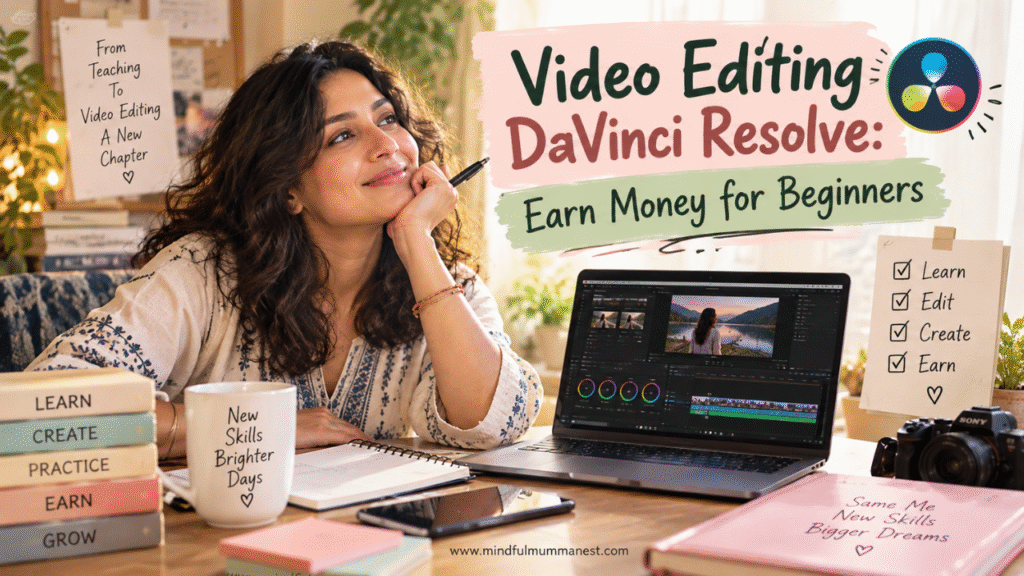
Video Editing DaVinci Resolve: Why This Easy Guide Can Help Beginners
Video Editing DaVinci Resolve: My Simple One-Hour Learning Routine
Introduction: There was a time when video editing looked like something meant for people who already knew cameras, computers and complicated software, while I was simply trying to create something useful with whatever I had. I started with a mobile, learned slowly, made mistakes, watched, practised and kept going. That journey taught me something important: you do not need to know everything before you begin; you need to begin before you know everything. If you are a housewife, a seeker, an aspiring creator, an influencer, a small-business owner or simply someone who wants to earn money by learning a valuable skill, I want you to look at video editing DaVinci Resolve differently. In this article, I am sharing how I would build a balanced routine around video editing DaVinci Resolve, how I would learn it from scratch, where I would practise, what I would watch, how I would build a portfolio and where the skill can eventually create earning opportunities. And just like our earlier Mindful Mumma Nest blogs, I am not here to make your life more complicated. Surbhi is here as a friend, sharing what I have learnt so you can take one step forward while I take mine—and hopefully this friendship never fades.
Video Editing DaVinci Resolve: Why I Would Learn It From Scratch
Video editing DaVinci Resolve is not only about cutting a video and putting music underneath it. It can take you from editing and colour correction to visual effects, motion graphics and audio post-production in one environment. Blackmagic Design currently offers a free version, while Studio adds more advanced features, so a beginner can start without immediately buying expensive editing software. (Blackmagic Design) What I particularly like about this is the possibility of growing with one tool instead of constantly jumping between different applications. You can begin with simple cuts and subtitles and later learn colour, sound, effects and more. That makes it useful not only for YouTube but also for reels, courses, business videos, interviews, product videos and freelance work.
Video Editing DaVinci Resolve: What I Would Learn First
I would not open every page and try to understand everything on day one. That is one of the easiest ways to become overwhelmed. I would learn the Edit or Cut page first, understand the timeline, import media, trim clips, add text, work with audio and export one complete video. Blackmagic’s official training is designed for new users and includes structured training books, videos and lesson files. (Blackmagic Design)
Video Editing DaVinci Resolve: My Beginner Learning List
- Importing and organising clips
- Cutting unwanted parts
- Moving clips on the timeline
- Adding simple transitions
- Adding titles and subtitles
- Cleaning basic audio
- Adjusting volume
- Adding B-roll
- Basic colour correction
- Exporting correctly
- Making vertical videos for Shorts and Reels
- Saving project files properly
If you are completely new, please don’t compare your first edit with somebody’s thousandth edit. Start with one small video and finish it.
If you want to understand how I think about turning a skill into an actual home-income possibility, read my freelancing guide for mums. It will help you see the connection between learning a skill and eventually offering that skill as a service.
Video Editing DaVinci Resolve: How I’d Build a Balanced Routine
A housewife doesn’t always have eight quiet hours to learn something new. There may be breakfast, children, cleaning, family responsibilities, work, cooking, messages and ten unexpected things before lunch. So I would never tell you to suddenly dedicate your entire day to video editing DaVinci Resolve. I would build a routine around the life I already have. One focused hour every day can become a surprisingly strong learning habit when you repeat it for months. Your routine should protect your responsibilities without killing the new dream you are trying to build.
Video Editing DaVinci Resolve: My One-Hour Beginner Routine
If I had only one hour, I would divide it like this:
- 10 minutes: Watch one focused tutorial.
- 20 minutes: Recreate what the teacher did.
- 20 minutes: Edit my own small project.
- 5 minutes: Watch the result without judging myself.
- 5 minutes: Write down what confused me and what I learnt.
And if you only have 30 minutes, do 10 minutes of learning and 20 minutes of practice. Consistency matters more than making one huge editing session and then disappearing for ten days.
You don’t need to find a whole new life to learn a skill. You need to make a small corner inside the life you already have.
If you want a broader understanding of building income around your home life, read The Mindful Mumma’s Blueprint to Earn Money & Build a Home Business. Sometimes the first change isn’t earning more; it is learning how to give your goal a place in your existing day.
Video Editing DaVinci Resolve: What I’d Learn in 30 Days
I would make the first month extremely practical. The target would not be “master DaVinci Resolve.” The target would be: “By the end of 30 days, I can finish several different types of videos without needing someone to hold my hand.” That is a much more realistic beginning. DaVinci Resolve’s official training already follows a project-based approach, including editing, colour, Fairlight audio and Fusion, so you can gradually move from basic editing toward specialist skills. (Blackmagic Design)
Video Editing DaVinci Resolve: My 4-Week Learning Roadmap
Week 1 — Understand
- Interface
- Media import
- Bins
- Timeline
- Cutting
- Trimming
- Basic audio
- Export
Week 2 — Create
- Talking-head video
- YouTube Short
- Instagram Reel
- Simple educational video
- B-roll
- Captions
- Music
Week 3 — Improve
- Colour correction
- Audio cleaning
- Speed changes
- Keyframes
- Better transitions
- Simple effects
Week 4 — Build
- One YouTube video
- Three Shorts
- One product video
- One portfolio sample
- One before-and-after editing sample
By the end, you should have something to show, not just hours of tutorials watched.
And if YouTube is part of your plan, my earlier guide What Is the First Step to Start a YouTube Channel to Earn Money? will help you connect your editing practice with the larger YouTube journey. Learning the software is one part; learning what to create with it is the next.
Video Editing DaVinci Resolve: How I’d Turn Practice Into Content
This is where I would stop treating video editing DaVinci Resolve as merely a software lesson. Every practice project can become content. If I learn how to create subtitles, I can make a tutorial about subtitles. If I learn colour correction, I can show a before-and-after. If I learn transitions, I can make a short demonstration. Your learning process itself can become your content calendar. YouTube also recommends looking at audience response and analytics to understand which content is connecting, rather than creating blindly. (Google Support)
Video Editing DaVinci Resolve: Content Ideas I Would Schedule
- “I Tried DaVinci Resolve as a Beginner”
- “5 Editing Mistakes I Made”
- “How I Edit a YouTube Short”
- “Before and After Colour Correction”
- “How I Add Captions”
- “How I Remove Silent Parts”
- “My 30-Minute Editing Routine”
- “DaVinci Resolve for Housewives”
- “How I Turn One Video Into Three Shorts”
- “What I Learnt After 30 Days of Editing”
Video Editing DaVinci Resolve: My Simple Weekly Schedule
Monday: Learn one feature.
Tuesday: Practise it.
Wednesday: Create a small video.
Thursday: Improve the same video.
Friday: Publish or save it for your portfolio.
Saturday: Study another creator.
Sunday: Review what worked and plan the next week.
This is how I would make learning, creating and earning slowly meet each other.
If you are struggling to decide what your YouTube content should actually be, read Earn Money: How to Find the Best YouTube Content to Start. You don’t need 100 ideas; you need a few useful ideas you can actually continue.
Video Editing DaVinci Resolve: How I’d Use It for YouTube
Video editing DaVinci Resolve becomes much more valuable when you understand that editing is not decoration. Editing controls what the viewer sees, hears and feels. A good editor knows when to remove something, when to pause, when to change the visual and when to let a sentence breathe. YouTube specifically highlights hooks, storytelling, viewer retention, titles and thumbnails as important parts of how content performs. (Google Support) So I would learn editing alongside storytelling rather than spending all my time learning flashy effects.
Video Editing DaVinci Resolve: What I Would Edit for YouTube
- Educational videos
- Storytelling videos
- Tutorials
- Interviews
- Podcasts
- Cooking videos
- Parenting content
- Wellness content
- Business videos
- Product demonstrations
- Shorts
- Repurposed long-form videos
Video Editing DaVinci Resolve: One Video, Many Opportunities
Suppose you create one 8-minute YouTube video.
From that one video you could potentially create:
- The complete YouTube video
- Three Shorts
- One Instagram Reel
- One Facebook video
- One Pinterest video idea
- Several quote graphics
- A blog section
- A short email
- A Medium story
This is where editing becomes a business skill rather than just a hobby.
And if choosing your YouTube niche feels confusing, read Earn Money by Choosing One Niche: Is This the Real Key to YouTube Success?. A tool can make your video better, but clarity about what you want to say makes your work worth watching.
Video Editing DaVinci Resolve: How Housewives Can Start Earning
I want to be honest here. Learning DaVinci Resolve does not automatically create income. The earning part comes when you combine editing ability with a useful service, a portfolio, communication and consistency. But there is a genuine market for video editing work. Current Upwork listings include short-form, YouTube, social-media and long-form editing work, and employers commonly ask for skills such as pacing, captions, B-roll, storytelling, sound design and platform-specific exports. (Upwork)
Video Editing DaVinci Resolve: Where I Would Look for Work
- Upwork: Freelance video-editing projects.
- Fiverr: Build a specific video-editing service rather than offering everything.
- Direct outreach: Contact small creators and businesses.
- YouTube creators: Offer editing assistance to smaller channels.
- Coaches and educators: Edit courses, webinars and social clips.
- Local businesses: Create reels, product videos and promotional content.
- Beauty and wellness brands: Edit tutorials, testimonials and product videos.
- Your own network: Start with people who already trust you.
Video Editing DaVinci Resolve: What I Would Sell First
I would not begin by saying:
“I can do every kind of video editing.”
I would make a simple offer:
“I edit short-form videos for small creators and businesses.”
Then later:
“I edit YouTube videos.”
Then:
“I can repurpose one long video into multiple short-form videos.”
Then, when your skills become stronger:
“I provide complete video editing and content repurposing.”
That gradual climb is much less frightening than trying to become a professional editor overnight.
For a practical look at choosing your first video strategically, read What Should My First Video Be About? The Strategic Blueprint to Earn Money. Your first sample doesn’t need to impress everybody; it needs to prove that you can solve one real problem.
Video Editing DaVinci Resolve: How I’d Build a Beginner Portfolio
A portfolio is where your learning becomes visible. You don’t need five paying clients before you make one. Create your own sample projects. Take a royalty-free clip or footage you have permission to use and show what you can do with it. Make a before-and-after edit. Create one talking-head sample, one Short, one product-style video and one storytelling edit. When you approach a potential client, showing the work is much stronger than simply saying, “I know DaVinci Resolve.”
Video Editing DaVinci Resolve: My First Five Portfolio Pieces
- Sample 1: 30-second motivational Reel.
- Sample 2: Talking-head YouTube edit.
- Sample 3: Product or skincare video.
- Sample 4: Before-and-after colour correction.
- Sample 5: Long video converted into three Shorts.
Video Editing DaVinci Resolve: What Makes a Portfolio Strong
- Clean cuts
- Clear audio
- Good pacing
- Readable captions
- Appropriate music
- Natural transitions
- Consistent colour
- Correct aspect ratio
- Good file naming
- Short explanations of what you did
Your portfolio should answer one question quickly: “Can this person make my video easier to watch?”
And if you are thinking about turning your editing ability into freelancing, Freelancing for Mums: Earn Daily is the natural next read. I want you to see freelancing not as a magic shortcut, but as one possible place where a carefully developed skill can become useful.
Video Editing DaVinci Resolve: The Books and Channels I’d Follow
I would be very careful about consuming hundreds of random tutorials. More tutorials do not necessarily mean more learning. I would choose a small number of trustworthy resources and actually practise what they teach. Blackmagic Design itself provides beginner training, official books, lesson files and online resources, including The Beginner’s Guide to DaVinci Resolve 20 and The Editor’s Guide to DaVinci Resolve 20. (Blackmagic Design)
Video Editing DaVinci Resolve: Books I Would Keep Nearby
- The Beginner’s Guide to DaVinci Resolve — Start here if the software feels completely new.
- The Editor’s Guide to DaVinci Resolve — Useful when you want to move beyond basic cutting.
- In the Blink of an Eye — Walter Murch — Helps you understand the thinking behind editing rather than only the buttons.
- The Visual Story — Bruce Block — Useful for understanding visual structure, colour, space and composition.
Video Editing DaVinci Resolve: Channels and Learning Places
- Blackmagic Design official training — My first choice for structured learning.
- Blackmagic Design on YouTube — Official product tutorials and training.
- YouTube Creator Tips — Useful for learning the creator side, not just editing.
Don’t watch one tutorial after another while your own timeline stays empty. Watch a little, pause, open Resolve and reproduce it.
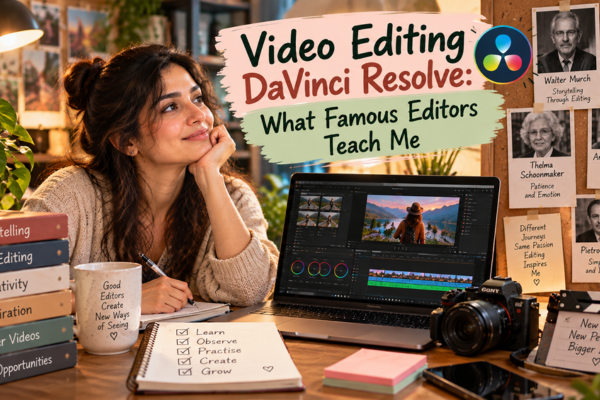
Video Editing DaVinci Resolve: What Famous Editors Teach Me
I love looking at people who became excellent at a craft because they remind me that success rarely begins with having everything figured out. Walter Murch became known for editing and sound work on films including Apocalypse Now and The Godfather films, while Thelma Schoonmaker built a long career as an editor through her collaboration with Martin Scorsese. Their stories are not stories of “one software made them successful”; they are reminders that editing is a craft built through judgement, storytelling, patience and practice.
Video Editing DaVinci Resolve: The Lesson I Take From Walter Murch
Murch’s work reminds me that editing is not simply removing boring parts. A cut changes emotion, rhythm and meaning. That is something I want a beginner to understand early: don’t ask only, “Which button should I press?” Ask, “What should the viewer feel here?”
Video Editing DaVinci Resolve: The Lesson I Take From Thelma Schoonmaker
Schoonmaker’s career reminds me that great editing can become a lifelong craft. She is strongly associated with Scorsese’s films, and her work shows why storytelling judgement matters as much as technical knowledge. So while I want you to learn video editing DaVinci Resolve, I also want you to learn to watch films, documentaries, interviews and YouTube videos with an editor’s eyes.
Video Editing DaVinci Resolve: The History That Encourages Me
There is another story I find fascinating. DaVinci’s technology began as a high-end colour-correction system long before today’s beginner-friendly software existed. Blackmagic Design acquired the assets of DaVinci Systems in 2009 and then developed Resolve into a much broader post-production tool. (Computer Graphics World) Today, the software brings editing, colour, VFX and audio into one platform, with a free version available. (Blackmagic Design)
That history makes me think about something simple: tools change, but the willingness to learn is what keeps a person moving.
Video Editing DaVinci Resolve: How I’d Turn a Hobby Into a Skill
A hobby becomes useful when you stop only consuming and start producing. If you love cooking, edit cooking videos. If you love skincare, edit product demonstrations. If you love parenting, create educational clips. If you love yoga, edit short tutorials. If you enjoy storytelling, create narrated videos. Your hobby gives you the subject; video editing DaVinci Resolve gives you another way to present it.
Video Editing DaVinci Resolve: Hobbies I Would Explore
- Storytelling
- Photography
- Cooking
- Skincare
- Travel
- Parenting education
- Wellness
- Yoga
- Home organisation
- Books and reading
- Handmade products
- Small-business marketing
Video Editing DaVinci Resolve: How the Earning Path Can Grow
Learn → Practise → Create samples → Build a portfolio → Offer one service → Get feedback → Improve → Raise your skill level → Add another service.
There is no honest shortcut that I can promise will turn a beginner into a high earner overnight. But there is a very real difference between knowing about a skill and being able to show the skill through finished work. Freelance marketplaces already list video-editing work across social media, YouTube, courses, commercials and other formats. (Upwork)
If you are still deciding what kind of YouTube work suits you, read How Housewives Can Earn Money From Home: Top YouTube Ideas. It can help you connect your interests with content ideas instead of learning a tool without knowing where you want to take it.
Video Editing DaVinci Resolve: My Balanced Routine for Housewives and Seekers
If I were starting again today, I would make my routine gentle but serious. Morning can belong to home and family; one quiet hour can belong to learning; a few minutes can belong to planning tomorrow’s content. Some days will work beautifully. Some days the routine will fall apart because life happens. That does not mean the plan failed. A balanced routine has enough flexibility to survive real life.
Video Editing DaVinci Resolve: My Simple Daily Plan
- Morning: Finish the most important home responsibilities.
- Late morning or afternoon: 30–60 minutes of focused editing practice.
- Evening: Write one content idea.
- Three days a week: Create something.
- One day a week: Review your work.
- One day a week: Learn from another editor.
- One day: Rest without feeling guilty.
Video Editing DaVinci Resolve: My Rule for Progress
Don’t measure your progress only by money.
Measure:
- How much faster you edit.
- How clean your audio has become.
- Whether your cuts feel better.
- Whether your storytelling is improving.
- Whether you can finish a project independently.
- Whether your portfolio is becoming stronger.
- Whether you are becoming less afraid of the software.
Then money can become the result of growing usefulness, rather than the only thing that determines whether you are progressing.
And if you are still thinking about your first content direction, Earn Money by Choosing One Niche: Is This the Real Key to YouTube Success? can help you think about focus before you spend months creating random videos.
Guest Corner
I want to thank the people, platforms, books and learning resources that helped shape the ideas in this article: Blackmagic Design for building and teaching DaVinci Resolve, the Blackmagic training team for making structured learning available, YouTube for its creator education and analytics guidance, Upwork for showing the kinds of editing work clients are currently requesting, Walter Murch for reminding us that editing is storytelling, Thelma Schoonmaker for showing what a lifelong editing craft can become, and the writers and teachers behind the editing books I mentioned. And of course, there is Mindful Mumma Nest, where I am not trying to stand above you and teach you everything; I am learning, experimenting and sharing the road with you. If something I learnt can save you one mistake, one confused evening or one moment of giving up, then this little corner has done its job.
Final Thoughts
For me, video editing DaVinci Resolve is not simply another software to learn. It is a skill that can strengthen your YouTube journey, your business, your freelancing possibilities and your confidence as a creator. You can start small, even if your first videos are imperfect, and slowly move from mobile creation to more advanced editing. Remember what we really learnt: learn one feature at a time; practise instead of only watching; create before you feel ready; build a portfolio before asking for work; connect editing with storytelling; and give your routine enough space to fit your real life. You don’t need to become somebody else to begin. You only need to give the version of yourself who wants to learn a chance. And if you feel lost somewhere along the way, remember this: Mindful Mumma Nest is here, and Surbhi is walking this road with you.
FAQs
What is Video Editing DaVinci Resolve?
DaVinci Resolve is an all-in-one tool for editing, colour, VFX, motion graphics and audio.
Can a beginner learn Video Editing DaVinci Resolve?
Yes. Start with cutting, trimming, audio, titles and exporting before learning advanced features.
Is Video Editing DaVinci Resolve free?
Yes. Blackmagic Design offers a free version alongside the paid Studio version. (Blackmagic Design)
Can Video Editing DaVinci Resolve help me earn money?
It can support freelance editing, YouTube, social-media content and business-video services, but income depends on your skills, portfolio, clients and consistency. (Upwork)
How long should I practise Video Editing DaVinci Resolve?
Start with 30–60 focused minutes a day and increase gradually.
Where should I learn Video Editing DaVinci Resolve?
Begin with Blackmagic Design’s official training, books and lesson files before adding other tutorials. (Blackmagic Design)
Sources & Tools
- Blackmagic Design — DaVinci Resolve — Official information about features and the free and Studio versions. (Blackmagic Design)
- Blackmagic Design — DaVinci Resolve Training — Official beginner training, books, videos and lesson files. (Blackmagic Design)
- YouTube Creator Tips — Official guidance for creating, growing and monetising YouTube content. (Google Support)
- YouTube — Content Performance & Retention — Official guidance on appeal, engagement, satisfaction and viewer retention. (Google Support)
- Upwork — Video Editing Jobs — Current examples of freelance video-editing opportunities and skills clients request. (Upwork)
- Blackmagic Design — DaVinci Resolve History/Media Archive — Historical Blackmagic information about DaVinci Resolve and its professional use. (Blackmagic