
Tips to Earn Money: Best Tools to Start Online
Tips to Earn Money: Calm Start to Your Day
Earning money from home isn’t about working harder — it’s about working calmly, with purpose and consistency. Whether you’re a mum balancing chores or someone starting a second inning, these 9 mindful steps will help you earn money, build confidence, and enjoy every bit of your growth.
Table of Contents
- Managing Your Day with Calm and Clarity
- Finding Your Flow After Household Chores
- Building a Routine That Supports Growth
- Staying Updated Through Daily Learning
- Hosting Your First Online Workshop
- Teaching What You Know Through Online Classes
- Writing and Selling E-Books That Help Others
- Tools and Platforms to Start With
- How to Stay Consistent and Grow Mindfully
- FAQs and Best Sources to Support You

1. Calm Daily Planning: Tips to Earn Money
Heart Note: Before you start earning, learn to hold your day gently.
Breathe
- Begin each morning by breathing deeply and saying, “I have time.”
- Avoid rushing straight into chores — give yourself 5 calm minutes to settle your energy.
Balance
- Divide your day into three simple lists:
- Must-do: Daily chores, meals, family needs.
- Want-to-do: Self-care, journaling, quiet reading.
- Can-do: Income tasks — writing, recording, or creating.
- Must-do: Daily chores, meals, family needs.
- Keep this list on your fridge or phone notes — it’s your mindful map.
Begin
- Pick one “Can-do” task daily — even a small one.
Examples: write one blog paragraph, film one clip, sketch your e-book cover. - Starting small builds momentum and quiet confidence.
Tools: Notion, Trello, or a physical daily planner.
Pros:
- Brings peace and purpose before starting work.
- Reduces chaos and guilt.
Cons:
- Needs daily commitment to stay mindful.

2. Flow After Chores: Tips to Earn Money
Heart Note: Turn your quiet moments into earning moments.
Identify Your Golden Hour
- After chores, your energy is often calmer and grounded — perfect for creativity.
- Note which time of day feels best for focus (for many mums, it’s late morning or afternoon).
What to Do During That Time
- Plan your content (outline an e-book or class).
- Record one short video or reel.
- Write a small blog post or script for your next class.
- Reply to emails, comments, or student questions.
How to Make It Work
- Keep your phone on silent for 45 minutes.
- Use a timer and break after your session.
- Prepare your desk or corner the night before — so you begin instantly.
Tools: Pomofocus Timer, Notion, or Google Calendar reminders.
Pros:
- Fits naturally into a homemaker’s day.
- Encourages consistency without stress.
Cons:
- Family distractions may need gentle communication.

3. Tips to Earn Money: Build a Growth Routine
Heart Note: A little structure keeps your dreams alive and flowing.
Design Your Daily Rhythm
- Morning: Focus work — write, record, or brainstorm.
- Afternoon: Learn — watch tutorials, read blogs, listen to podcasts.
- Evening: Reflect — track progress, plan tomorrow, unwind.
Set Weekly Themes
- Monday: Learning and research.
- Tuesday–Thursday: Content creation (workshops, videos, e-books).
- Friday: Marketing and engagement.
- Weekend: Rest or gentle review.
Track and Celebrate
- Use a small notebook to record daily wins — even 10 minutes of effort counts.
- Celebrate each milestone: first class uploaded, first ₹100 earned, first kind comment.
Tools: Google Sheets, Notion habit trackers, or physical journals.
Pros:
- Keeps energy focused on growth.
- Builds self-trust and motivation.
Cons:
- Take a week to find your best schedule.
4. Tips to Earn Money: Stay Updated Daily
Heart Note: A little learning every day keeps your ideas alive and growing.
Focus
What to Learn:
- Trends in your niche (e.g., digital products, parenting hacks, yoga content).
- Tools for creators: Canva, Notion, Descript, CapCut.
- Mindset practices: productivity, confidence, storytelling.
How to Learn:
- Read 1 article or watch 1 short video daily.
- Maintain a “Learning Notes” section to jot your key takeaway.
Explore
Where to Learn:
- Podcasts: The Goal Digger, Marie Forleo, or Calmpreneur.
- YouTube Channels: Think Media (for video), Ali Abdaal (for productivity).
- Communities: Facebook or Telegram groups for your niche.
When to Learn:
- While cooking, cleaning, or walking.
- Replace 15 minutes of scrolling with something intentional.
Apply
How to Use Learning Quickly:
- Test new ideas on Instagram, your YouTube channel, or your blog.
- Create content based on trending topics.
- Adjust your class or e-book ideas using fresh insights.
Pros:
- Keeps content modern and engaging.
- Builds quiet confidence and curiosity.
Cons:
- Overlearning without applying can slow action.
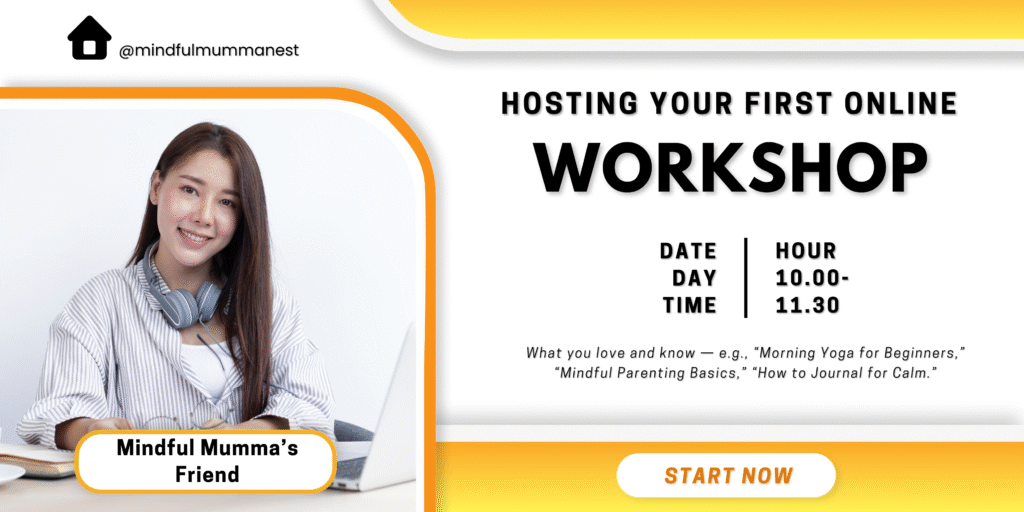
5. Tips to Earn Money: Host Your First Workshop
Heart Note: Start small — your knowledge is already enough.
Plan
Choose a Topic:
- What you love and know — e.g., “Morning Yoga for Beginners,” “Mindful Parenting Basics,” “How to Journal for Calm.”
- Check interest by asking friends or doing a short Instagram poll.
Prepare Your Workshop:
- Create a simple outline (Intro – Lesson – Q&A).
- Make 3–5 slides using Canva.
- Decide your price: start between ₹199–₹499.
Present
Before the Workshop:
- Test your camera, lighting, and microphone.
- Keep a water bottle and notes nearby.
- Welcome your participants with gratitude.
During the Workshop:
- Teach with heart, not perfection.
- Engage — ask questions, share your story.
- Record the session for future sales.
Promote
How to Promote:
- Share your workshop on Instagram, WhatsApp, and Facebook groups.
- Offer early-bird pricing or a free mini-session.
- Ask participants for testimonials afterward.
Tools: Zoom, Google Meet, Airmeet, Canva, Google Forms.
Pros:
- Builds visibility and confidence fast.
- Generates instant income.
Cons:
- Nerves before the first live session (normal for everyone!).

6. Tips to Earn Money: Teaching What You Know Online
Heart Note: Your everyday skills can become someone’s learning journey.
Share
Ideas to Teach:
- Recipes, wellness tips, journaling, or creativity.
How to Record: - Use your phone horizontally in natural light.
- Keep lessons short (3–5 minutes each).
- Edit using CapCut or Descript.
Shine
Upload Process:
- Teachable: Create a free account → Add videos → Set price → Publish.
- Skillshare: Sign up as a teacher → Upload short lessons → Add thumbnail and description → Submit for review.
- YouTube: Upload lessons as a playlist → Add links to your site or e-book.
Tips to Stand Out:
- Include your story at the start.
- Offer PDF notes or checklists.
- Be natural, not perfect.
Scale
Ways to Grow:
- Create class bundles.
- Offer monthly memberships (₹299–₹499) for all classes and 1 Q&A call.
- Build a private learning community (WhatsApp, Telegram, or Facebook).
- Create certificates using Canva.
Pros:
- Builds long-term income.
- Encourages loyal learners.
Cons:
- Needs consistent updates.

7. Tips to Earn Money: Writing and Selling E-Books
Heart Note: Your story can become someone’s strength.
Write
Topic Ideas:
- Mindful parenting, self-care, easy recipes, or confidence building.
Process: - Brainstorm 5–7 chapters.
- Write one page daily (use Notion or Docs).
- Add short reflections or journaling prompts for readers.
Format
Design Tips:
- Use Canva or Reedsy templates.
- Choose soft fonts and white space for readability.
- Add your name and a friendly note at the end.
Publish
How to Publish:
- Amazon KDP: Create a free account → Upload your e-book (PDF) → Add title, description, keywords → Set price.
- Gumroad: Upload file → Add a beautiful cover → Write a heartfelt description → Share link privately.
Promote Your E-Book:
- Offer a free chapter or “look inside” post.
- Mention your book in classes or workshops.
- Collect reader feedback and update regularly.
Pros:
- Passive income stream.
- Builds author credibility.
Cons:
- The first draft takes time and patience.

8. Tools and Platforms to Start With
Heart Note: Begin with tools that save time, not complicate it.
Workshops: Zoom, Google Meet, Airmeet
Online Classes: Teachable, Skillshare, YouTube
E-Books: Canva, Reedsy, Amazon KDP, Gumroad
Planning and Organization: Notion, Trello, ClickUp
Design and Editing: Canva, Descript, CapCut
Content Research: Google Trends, Pinterest, ChatGPT
Quick Tips:
- Try each tool for one week before upgrading.
- Use YouTube tutorials to learn for free.
- Pick 3 core tools and master them instead of trying everything.
Pros:
- Beginner-friendly and free versions available.
- Perfect for mums working part-time.
Cons:
- Learning curve for the first few days.
9. How to Stay Consistent and Grow Mindfully
Heart Note: Growth happens quietly when you stay steady.
Weekly Plan:
- Create one new piece of content.
- Learn one new skill.
- Connect with one new follower, reader, or student.
Mindful Habits to Stay Motivated:
- Journal your feelings about work weekly — what felt good, what didn’t.
- Take one digital detox day per week.
- Reward yourself — a coffee break, a short walk, or a book.
Track Progress:
- Use a notebook or Notion page to log sales, views, and happy feedback.
- Reflect monthly on what’s working best.
Pros:
- Encourages emotional wellness with productivity.
- Turns effort into long-term joy.
Cons:
- Requires gentle patience and belief in the process.
FAQs from Our Mindful Mumma Community
1. Can I start earning without investment?
Yes, start with free tools like Canva, YouTube, and Google Meet.
2. What if I’m too shy to teach?
Record short lessons first — confidence grows naturally.
3. How long until I see results?
Usually within 30–60 days of consistent effort.
4. What kind of e-book sells best?
Simple, solution-based guides written from experience.
5. How do I promote my work?
Use social media stories, WhatsApp updates, and collaborations.
6. How do I balance home and work?
Schedule one focused “earning hour” daily.
7. What if I fail once?
It’s just feedback — try again with what you learned.
8. Can I combine workshops, e-books, and classes?
Yes! That’s how you build multiple mindful income streams.
Best Sources and Tools I Personally Love
- Canva: Create designs, covers, and slides.
- Zoom / Google Meet: Host live workshops.
- Teachable / Skillshare: Build and share your classes.
- Gumroad / Amazon KDP: Sell your e-books and downloads.
- Trello / Notion: Plan and track your progress.
- Google Trends: Research trending ideas.
(Shared with care — these are personal tools I use and recommend to support you.