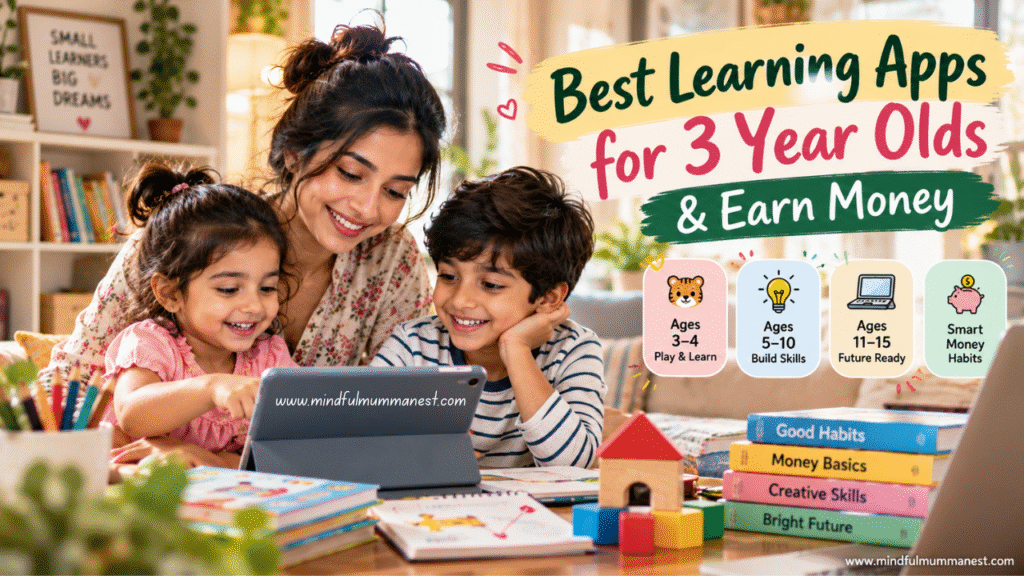
Best Learning Apps for 3 Year Olds vs. Apps for Ages 11–15
Khan Academy, Scratch, Canva for Education, Google Applied Digital Skills
Introduction: Learning Begins at Home
As we continue our Learning (Skill Growth) series, today I want to talk about something close to every parent’s heart: our children’s learning, their safety, and the future skills that may help them earn money one day. If you are searching for the best learning apps for 3 year olds, I have gathered practical options for younger children, school-age kids, and teenagers. We will also explore books, YouTube Kids controls, smart money habits, and ways parents can turn their own learning into income. Because a child’s future does not begin with pressure; it begins with the small things we teach at home.
Best Learning Apps for 3 Year Olds: Start with Play
At three, children are discovering words, colours, sounds, stories, feelings, and the world around them. They do not need a packed timetable or an expensive collection of subscriptions. They need conversation, play, outdoor time, picture books, and a parent who listens.
A learning app can support these experiences, but it should never replace them. UNICEF also highlights the importance of real-world interaction and play in early development.
Here are some options worth exploring.
1. Khan Academy Kids — Best for Early Learning
Website: Khan Academy Kids
Suitable age: Approximately 2–8 years
What children can learn:
- Early reading, letters, sounds, and vocabulary.
- Basic numbers, counting, and maths.
- Stories, creative activities, and social-emotional skills.
How to start:
- Visit the official website and follow the link to download the app.
- Set up the learning experience for your child.
- Start with a short activity suited to their ability.
- Sit with your child and ask questions about the story or game.
- Notice what interests them instead of pushing them to finish every activity.
One useful point for parents: Khan Academy Kids says its family app is free and has no advertisements or subscriptions. That makes it a sensible first option for families who want to explore learning without paying for a subscription.
My suggestion: After a counting activity, keep the phone aside and count real objects together—three spoons, four blocks, or five mangoes. Learning becomes more meaningful when children can touch and see what they are learning.
2. Duolingo ABC — Best for Early Reading
Website: Duolingo ABC
Suitable age: Check the current app listing for your device and region; it is designed for early literacy.
What it helps with:
- Letter recognition and phonics.
- Early reading practice.
- Simple literacy activities.
How to use it:
- Check whether the app is available in your country’s app store.
- Review the current age guidance and privacy settings.
- Choose short reading activities that match your child’s stage.
- Repeat the same sounds and letters using books, toys, and everyday objects.
Do not worry if your child cannot recognise every letter at three. Children develop at different speeds. The purpose is to introduce language playfully, not to compare one child with another.
3. StoryWeaver — Best for Stories in Indian Languages
Website: Pratham Books StoryWeaver
Suitable age: Choose stories according to the child’s reading and listening ability.
StoryWeaver offers a large collection of children’s storybooks in multiple languages. Many stories can be read online, downloaded, translated, or printed under the platform’s open licence.
How parents can use it:
- Choose a short, illustrated story.
- Read it aloud in English, Hindi, Bengali, or another familiar language.
- Ask your child to point to the animals, colours, or objects in the pictures.
- Invite them to tell you what they think happens next.
- If a suitable story is available to download or print, keep a copy for screen-free reading.
This is particularly useful for families who want children to enjoy stories in their mother tongue as well as learn another language.
Remember: The best learning app for a three-year-old is not necessarily the one with the most games. It is the one you can use safely and briefly, followed by real conversation and play.
Best Learning Apps for 3 Year Olds and Children Aged 5–10
Once children begin school, their learning needs change. They may become curious about reading independently, solving problems, creating stories, and understanding how things work.
The best learning apps for 3 year olds are not automatically the right choice for an eight-year-old. Choose tools according to age, school level, interests, and the child’s ability to use them safely.
4. ScratchJr — Best for Creativity and Coding
Website: ScratchJr
Suitable age: Approximately 5–7 years
ScratchJr introduces young children to basic programming through interactive stories and games. Children use visual blocks to make characters move, jump, dance, and interact.
How to begin:
- Visit the official website and check the supported devices.
- Explore the basic movement and action blocks together.
- Ask your child to create a small story, such as a cat finding its way home.
- Encourage them to change the characters, background, or sequence.
- Ask them to explain how their story works.
This is not about making a child a professional programmer at six. It is about building creativity, sequencing, problem-solving, and confidence.
These skills may become useful later in fields such as design, animation, game development, and technology. There is no guarantee that learning an app will lead to a future job, but curiosity is a valuable starting point.
5. Prodigy Math — Best for School-Age Maths Practice
Website: Prodigy Math
Suitable age: Primarily Grades 1–8; check whether the curriculum suits your child’s school system.
Prodigy turns maths practice into a game-based experience. Children answer maths questions as they explore a virtual world. Its educational content includes free access, while optional paid features may also be offered.
How to use it:
- Create a parent account and review the available settings.
- Select the appropriate grade level.
- Let your child try a short session.
- Ask which maths problem they found difficult.
- Practise that concept with paper, pencils, or everyday examples.
For example, when your child is learning addition, ask them to calculate the cost of two items during pretend shopping. A game can introduce the concept, but real-life practice helps children connect it with everyday decisions.
A small reminder: Before paying for any educational platform, try the free features, read the subscription terms, and check whether the content matches your child’s actual learning needs.
Best Learning Apps for 3 Year Olds vs. Apps for Ages 11–15
Teenagers need a different kind of support. They may be ready to explore coding, communication, research, design, budgeting, and digital creativity. At this stage, the goal is to help them become thoughtful learners rather than simply better at completing app activities.
For older children, consider these learning routes:
- Khan Academy: Free lessons across school subjects.
- Scratch: Create games, animations, and interactive projects.
- Canva for Education: Explore education features and eligibility.
- Google Applied Digital Skills: Practical digital-skills lessons.
Availability, age requirements, and account restrictions vary. Parents should review each platform’s current terms and privacy settings before creating an account for a child.
What Should Children Learn at Each Age?
Ages 3–4
- Listening, speaking, and recognising everyday objects.
- Counting through play.
- Sharing, patience, and naming feelings.
- Enjoying stories and asking questions.
Ages 5–10
- Reading, writing, maths, and basic research.
- Creative projects and beginner coding.
- Saving pocket money and comparing prices.
- Completing small tasks with growing independence.
Ages 11–15
- Digital literacy and online safety.
- Communication, presentation, and problem-solving.
- Budgeting, saving, and understanding advertising.
- Exploring design, coding, writing, video editing, and other skills.
Children do not all reach milestones at the same time. Use these age groups as a flexible guide, not a test of whether your child is ahead or behind.

Best Learning Apps for 3 Year Olds: A Safe Screen-Time Routine
Even the best learning apps for 3 year olds need sensible boundaries. An educational label does not automatically make every activity suitable for every child.
For a young child, I would rather see a short, shared learning session followed by blocks, drawing, running, storytelling, or helping with a simple household activity than a long stretch of passive viewing.
Try this simple routine:
- Choose the activity first. Decide what your child will learn before opening the app.
- Stay nearby. For younger children, watch and talk together.
- Stop when the planned activity ends. Avoid using endless videos as the default.
- Follow it with real play. If the app teaches colours, find coloured objects around the house.
- Protect sleep and family time. Screens should not regularly replace sleep, movement, conversation, or outdoor play.
For specific screen-time recommendations, consult your child’s paediatrician and the current guidance from your country’s health authorities. Needs vary by age, development, and family circumstances.
How to Control YouTube Kids: Step-by-Step
YouTube Kids provides several parental controls, but its automated systems are not perfect. A parent still needs to choose suitable content and supervise use.
Official guide: YouTube Kids parental controls
To select age-based content settings:
- Open the YouTube Kids app.
- Go to Settings.
- Complete the parent check or enter your passcode.
- Select your child’s profile and enter the parent password if requested.
- Choose Edit settings.
- Select the available content level that best suits your child.
To approve content yourself:
- Open YouTube Kids and go to Settings.
- Select your child’s profile and open Edit settings.
- Choose Approve content yourself.
- Review and approve the videos, channels, or collections you want your child to watch.
- Select Done to save your choices.
With this setting, children cannot search freely; they can only watch content you have approved. You can also turn off Search, block individual videos or channels, and use the available timer controls.
Menu names may vary slightly by device or app version. Check the official guide if your screen looks different.
My rule for parents: Do not assume that a video is suitable simply because it appears inside YouTube Kids. Review channels, disable features you do not need, and talk to your child about what they watch.
For more guidance, read our related guide: YouTube Parenting Control: Earn Money Guide.
Best Learning Apps for 3 Year Olds: Build Smart Money Habits at Home
Now let’s talk about something many families postpone until children are much older: money.
Children do not need to learn how to earn money at three. They need to learn that money is used to buy things, that families make choices, and that we cannot always buy everything we want.
As they grow, we can introduce saving, planning, comparing prices, and understanding the effort behind useful work.
Research from the OECD has found an association between children’s financial literacy and conversations with parents about spending and saving. This does not mean one conversation guarantees financial success. It does show why calm, age-appropriate discussions about money can be valuable.
Read the OECD’s overview: Student financial literacy.
For Ages 3–4: Learn Through Pretend Play
- Give your child pretend coins or play money.
- Set up a pretend shop with toys, fruit, or picture cards.
- Explain that some things cost money.
- Practise waiting and choosing one item instead of buying everything.
- Praise patience, sharing, and taking care of belongings.
Avoid putting pressure on a young child to earn, save a particular amount, or understand adult financial worries.
For Ages 5–10: Introduce Saving and Choices
Try a simple three-container activity labelled Save, Spend, and Share.
- Use small amounts of pocket money or pretend money.
- Let your child choose a simple savings goal.
- Help them track how much they have saved.
- Compare the prices of two similar items together.
- Discuss why the cheaper item is not always the better-quality choice.
You can also invite children to help plan a pretend family picnic within a fixed budget. They can choose snacks, count items, and work out what fits the budget.
For Ages 11–15: Teach Digital Money Awareness
Teenagers may see online shopping, gaming purchases, influencers, and advertisements every day. Help them understand:
- The difference between needs and wants.
- How subscriptions and in-app purchases work.
- Why a discount does not always mean a good deal.
- How to compare prices and read basic terms.
- Why passwords, OTPs, banking details, and personal information must remain private.
- How to recognise unrealistic claims about earning money online.
If your teenager wants to earn money in the future, begin with supervised skill-building, school projects, and safe creative activities. Check local rules, platform age limits, and parental-consent requirements before any paid work.

Best Learning Skills Kids Can Build for Future Earning
The point is not to turn childhood into a business plan. It is to help children discover what they enjoy and gradually develop useful skills.
Here are five areas worth encouraging.
1. Communication
Reading aloud, storytelling, writing, and speaking clearly can help children express ideas. As teenagers grow, these skills may support teaching, writing, customer communication, and presentations.
2. Creativity
Drawing, craftwork, music, storytelling, and design teach children to explore possibilities. Older children can turn creative interests into projects and portfolios.
3. Digital Skills
Age-appropriate coding, digital research, presentations, and video editing can help teenagers understand how technology works. Use supervised practice and age-appropriate accounts.
4. Problem-Solving
Puzzles, board games, building toys, and everyday planning encourage children to think through challenges instead of giving up immediately.
5. Money Management
Saving, budgeting, comparing prices, and understanding advertising help children make more informed decisions as they grow.
No app can promise that a child will become successful or earn money in a particular career. Our job is to offer opportunities, support their interests, and let their abilities develop without unnecessary pressure.
Three Books Every Parent Can Learn From
Sometimes the most useful learning tool is not an app. It is a book that helps us understand our children and ourselves a little better.
1. Atomic Habits — James Clear
Book: Atomic Habits
The central lesson is that small actions, repeated consistently, can build stronger habits over time.
Try this at home: Instead of announcing, “From tomorrow, we will study for one hour every day,” begin with five minutes of reading after breakfast. Keep the book visible, make the activity easy to begin, and celebrate consistency rather than perfection.
This approach can help parents build their own learning habits, too. If you want to learn Canva, writing, or video editing, start with one small practice session instead of waiting for a perfect free day.
2. The Whole-Brain Child — Daniel J. Siegel and Tina Payne Bryson
Book: The Whole-Brain Child
This book explores children’s developing brains and offers strategies for understanding emotions and supporting healthy development.
Try this at home: When a child becomes upset, pause before giving a lecture. Help them name the feeling, listen to what happened, and discuss what to do next once they are calmer.
Children learn emotional regulation through support and practice—not through being told to stop feeling upset.
3. The Opposite of Spoiled — Ron Lieber
Book: The Opposite of Spoiled
This book explores how parents can talk with children about money, allowances, generosity, spending, and saving.
Try this at home: When your child asks for a new toy, explain the choice in a simple and respectful way. You can say, “We have money for some things today, but we also need to save for other things.”
The aim is not to make children anxious about money. It is to help them understand choices and appreciate what they have.
Helpful Learning Channels for Parents and Kids
Use these channels with age-appropriate supervision. For younger children, choose a specific video before starting rather than leaving autoplay running.
- Khan Academy: Educational explanations and learning support.
- SciShow Kids: Science questions and child-friendly explanations.
- Scratch: Creative coding ideas and projects for children who are ready for them.
- Pratham Books: Children’s stories and reading-related content.
- Yoga with Adriene: Yoga and movement resources that parents can review and adapt for family use.
Check the current channel content, availability, and suitability before showing a video to a child. A channel recommendation is not a substitute for supervision.
How Other Countries Approach Children’s Money Education
There is no single parenting method that works for every family. However, international research offers useful lessons.
The OECD’s PISA financial-literacy research examines students’ understanding of money and the relationship between financial knowledge, family discussions, and everyday financial decisions.
In the countries and economies studied, the OECD found that students who discussed their spending and saving decisions with parents tended to perform better in financial literacy assessments. These are associations, not proof that one parenting method causes better results.
What can Indian parents take from this?
- Talk about money calmly and in language children understand.
- Let children practise making small, age-appropriate choices.
- Explain the difference between needs and wants.
- Encourage saving towards a goal.
- Discuss advertising and online shopping before children make independent digital purchases.
- Make financial education available to every child, regardless of family income.
We do not need expensive toys, paid apps, or overseas courses to begin. A family shopping list, a savings jar, and an honest conversation can be a good start.
Read more: OECD — How financially smart are students?.
How Parents Can Turn Their Own Learning into an Earning Opportunity
Now, my dear readers, let us bring this back to our Learning (Skill Growth) series.
When we talk about children’s learning, we are also reminded that parents can keep learning. Many mothers manage school schedules, meals, household responsibilities, and family needs while quietly carrying their own dreams.
You do not need to wait until your child is older or your life becomes perfectly organised before learning a skill of your own. Start small, choose one skill, and practise consistently.
Here are a few realistic paths to explore.
1. Learn English and Explore Online Teaching
If you enjoy explaining lessons or helping students understand English, you can explore teaching opportunities after building the necessary skills and checking each platform’s requirements.
Read our guide: English Online Teaching Jobs to Earn Money.
2. Learn Video Editing
If you enjoy making reels, editing family videos, or creating social media content, video editing may be worth exploring. Practise with sample projects before offering services to clients.
Read: Video Editing with DaVinci Resolve to Earn Money.
3. Start a Home-Based Food Business
If cooking and baking are your strengths, you could research local demand, costs, hygiene requirements, and pricing before starting on a small scale.
Explore these guides:
4. Explore Online Income Ideas
Writing, teaching, content creation, design, and other digital skills may offer opportunities, depending on your experience, market demand, and the time you can invest. Income is never guaranteed, so avoid platforms or courses promising effortless earnings.
Start with our guide: Online Income from Home for Women in 2026.
5. Build a Mindful Parenting Routine
Learning and earning do not have to compete with family life every day. A realistic routine, supportive boundaries, and small learning goals can help you make progress without expecting yourself to do everything at once.
Continue with our parenting guides:
These articles are part of our effort to connect learning, parenting, personal growth, and earning opportunities in one practical place.
How Mindful Mumma Nest Is Here for You
I believe every parent deserves access to helpful information without being made to feel that they are falling behind.
Some days, we have the energy to learn something new. Other days, we are busy taking care of everyone else. Both kinds of days are part of real life.
At Mindful Mumma Nest, we want to make useful knowledge easier to access—from children’s learning tools and mindful parenting to practical skills that may help women explore income opportunities.
If you feel that nobody is listening to your questions or taking your dreams seriously, please know that you can come here to learn, explore, and take your next step at your own pace. We cannot promise instant solutions or guaranteed earnings, but we can keep sharing practical resources, honest guidance, and encouragement.
You do not need to change your entire life in one day. One useful idea, one new skill, or one thoughtful conversation can be a beginning.
Guest Corner: A Note of Gratitude
This guide brings together resources from Khan Academy Kids, Duolingo ABC, Pratham Books StoryWeaver, ScratchJr, Prodigy, YouTube Kids, UNICEF, the OECD, James Clear, Daniel J. Siegel, Tina Payne Bryson, and Ron Lieber.
We are grateful to the educators, researchers, authors, and organisations who make learning resources available to families. Their work helps parents ask better questions and make more informed choices.
If you are a parent, teacher, educator, or creator with a practical idea that could help families learn and grow, Mindful Mumma Nest welcomes thoughtful contributions that are useful, responsible, and genuinely helpful to readers.
Together, we can make learning more accessible and help more families discover their next opportunity.
Final Thoughts: One Thought Can Become a New Beginning
Today, we explored the best learning apps for 3 year olds, tools for older children, safe YouTube Kids settings, smart money habits, useful books, and skills that may support future opportunities.
Our biggest lesson is simple: children need support, not pressure. Parents need useful information, not unrealistic promises. And learning should continue throughout life.
Start with one small habit. Read one story together, practise one skill, or have one honest conversation about money. Let your child grow at their own pace, and give yourself the same kindness.
At Mindful Mumma Nest, we believe that one thought can become a learning journey, and a learning journey can open the door to an earning opportunity. Let us keep growing together, one practical step at a time.
Frequently Asked Questions
1. Which are the best learning apps for 3 year olds?
Khan Academy Kids is a useful starting point for early literacy, maths, stories, and creative activities. Always check suitability and supervise use.
2. Are learning apps enough for preschool children?
No. Apps should complement play, conversation, books, movement, and real-world experiences—not replace them.
3. How can I teach my child about money?
Start with simple ideas such as needs and wants, pretend shopping, saving towards a goal, and making age-appropriate choices.
4. How can I control YouTube Kids?
Use age-based content settings, turn off Search if appropriate, approve specific content, block videos or channels, and use timer controls.
5. Can parents earn money by learning new skills?
Potentially. Skills such as teaching, writing, video editing, and design can lead to opportunities, but results depend on skill, demand, time, and consistent effort.
Sources and Tools
- Khan Academy Kids — Early literacy, maths, stories, and creative learning for young children.
- Pratham Books StoryWeaver — Multilingual children’s stories that can be read and, where permitted, downloaded or printed.
- YouTube Kids Help Centre — Official instructions for content settings and parental controls.
- UNICEF Parenting — Guidance on children’s development and screen use.
- OECD Student Financial Literacy — Research on children’s financial knowledge and money habits.
- James Clear — Atomic Habits — Practical ideas for building consistent habits through small steps.